🌱 I Let an AI Agent Water My Garden: Arduino, Prometheus, and a Surprisingly Opinionated Irrigation Brain
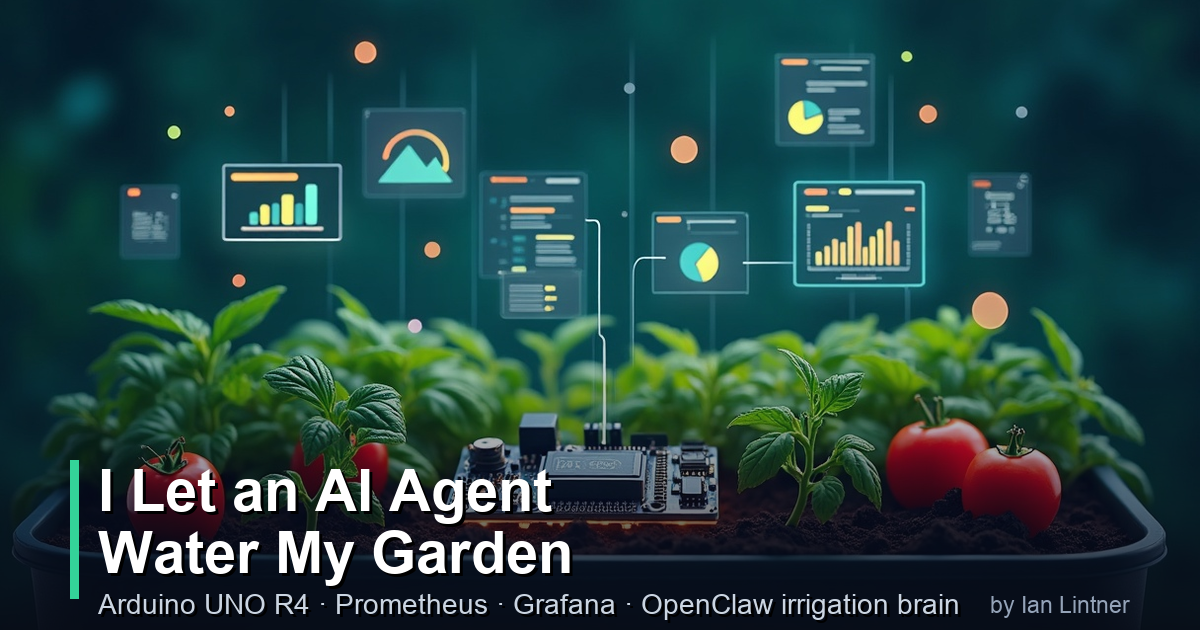
🌱 I Let an AI Agent Water My Garden
I’ve built distributed systems at scale. Kubernetes clusters that process millions of events per day. OAuth2 servers that handle production traffic across regions. Observability stacks that catch bugs before users do.
And then I looked at my herb garden and thought: the basil is dying and I have no data about why.
So I did what any reasonable platform engineer would do. I spent two days building a full IoT telemetry pipeline, deployed it to my production AKS cluster, and gave an AI agent control over my Smart Life water timers.
The basil is fine now. The project is also actually interesting — so let me walk you through it.
🎯 What I Built
Two gardens, one Arduino, three sensor types, a full cloud observability stack, and an AI irrigation brain:
- Zone 1 — Herb garden: basil, rosemary, thyme. Dries fast, wants consistent moisture.
- Zone 2 — Vegetable bed: tomatoes, peppers. Bigger soil volume, different watering cadence.
Each zone has a capacitive soil moisture probe on the Arduino. An RF water timer (Smart Life / Tuya) controls the valve for each zone. The system:
- Reads sensors every 60 seconds and ships telemetry to Prometheus via a FastAPI ingest service on AKS
- An OpenClaw AI agent runs 3× per day, reads those metrics, fetches a weather forecast, and proposes a watering duration for each zone in Discord
- I approve it (or don’t). The agent only opens a valve after my ✅
- The valve opens, waters for the computed duration, and auto-closes via the timer’s hardware countdown
No open ports on the Arduino. No polling. A full OAuth2/JWT-protected cloud path. And a safety-gated approval flow so a hallucinating LLM can’t flood my yard.
🛠️ The Hardware Stack
Arduino UNO R4 WiFi is the right board for this. It has:
- Built-in WiFi (ESP32-S3 radio, 2.4 GHz only — important if your IoT network is 5 GHz)
- A 12×8 monochrome LED matrix for at-a-glance status
- 14-bit ADC for smooth analog reads
- Enough flash (256 KB) to hold OAuth2 client credentials, HTTPS request logic, and sensor firmware
Sensors wired to the board:
| Sensor | Pin | Notes |
|---|---|---|
| DHT22 (air temp + humidity) | D7 (digital) | Proprietary 1-wire protocol |
| Soil probe — herb bed (bed1) | A0 (analog) | Capacitive, 5V. Dry ≈ 16374, wet ≈ 10700 |
| Soil probe — veggie bed (bed2) | A1 (analog) | Same type, same calibration |
One important lesson from calibration: capacitive probes aren’t plug-and-play. You need to measure the raw ADC values at dry (in air) and wet (in freshly watered soil), then set those endpoints. They also need 5V power and the sensor needs to be energized only during reads — otherwise it corrodes. We gate power through a GPIO pin.
📡 The Telemetry Path
Shipping sensor data from an Arduino behind home WiFi to a cloud-hosted Prometheus requires solving a few real problems: no public IP, intermittent connections, no persistent storage on the device. The solution is a push model with a Pushgateway intermediary.
flowchart TD
    subgraph Arduino["Arduino UNO R4 WiFi"]
        SENSORS["DHT22 + 2 soil probes"]
        MCU["Renesas RA4M1 + ESP32-S3 WiFi"]
        SENSORS --> MCU
    end

    subgraph Cloud["AKS Cluster - bigboy"]
        INGEST["garden-ingest FastAPI"]
        PGW["Pushgateway"]
        PROM["Prometheus"]
        GRAFANA["Grafana"]
        INGEST --> PGW
        PGW -->|scrape 30s| PROM
        PROM --> GRAFANA
    end

    subgraph Auth["Auth"]
        ROAUTH["roauth2 OAuth2 server"]
    end

    MCU -->|get JWT| ROAUTH
    ROAUTH -->|JWT| MCU
    MCU -->|POST readings| INGEST

    subgraph Gateway["istio ingress"]
        VS["VirtualService"]
        JWT["JWT auth policy"]
    end

    INGEST -.-> Gateway
    Gateway -.->|validates JWT| INGEST
The board authenticates with OAuth2 client credentials (HTTP Basic auth, as required by the server). It gets a JWT, caches it, and POSTs JSON readings to garden.cat-herding.net/ingest. Istio validates the JWT at the gateway edge before the request reaches the service — the ingest service itself trusts the edge.
The ingest service is a ~200-line FastAPI app. It validates and normalizes the JSON, converts it to Prometheus exposition format, and PUTs it to Pushgateway — grouped by device_id so future boards don’t overwrite each other.
There was a fun bug: the roauth2 server returns tokens with Transfer-Encoding: chunked, and ArduinoHttpClient doesn’t strip the chunk-size line. So the JSON body looks like 387\r\n{...} and ArduinoJson chokes. Fix: skip to the first { before parsing.
📊 Metrics in Prometheus and Grafana
Once the path was working, every sensor reading showed up as a labeled Prometheus metric:
garden_air_temperature_celsius{device_id="garden-node-1", location="raised-bed"} 24.0
garden_air_humidity_percent{device_id="garden-node-1", location="raised-bed"} 47.2
garden_soil_moisture_percent{device_id="garden-node-1", probe="bed1"} 100.0
garden_soil_moisture_percent{device_id="garden-node-1", probe="bed2"} 42.0
garden_push_timestamp_seconds{device_id="garden-node-1"} 1780491602.0
The push_timestamp_seconds is the key for staleness alerting. If a board stops publishing, time() - garden_push_timestamp_seconds > 300 fires a Prometheus alert before you ever look at a dashboard and wonder why the soil graph is flat.
The Grafana dashboard provisions from a JSON file in the GitOps repo. It uses a device_id template variable so it scales to N boards automatically — the same dashboard covers zone 1, zone 2, and any future node.
One infrastructure note: Prometheus was in CrashLoopBackOff for three days (OOMKilled, 1536 MiB limit too small for WAL replay). No dashboards were alerting because the alerting system was the thing that was down. Raised the limit to 4 GiB, pod recovered in ~66 seconds. A useful reminder: you need an external watchdog for your monitoring stack, not just internal alerting.
🧠 The OpenClaw Irrigation Brain
This is where it gets interesting.
OpenClaw is the AI agent platform running in my cluster. It has native Discord integration, a built-in scheduler, and a tool execution engine. Instead of building a new service, I wrote a self-contained Python CLI (garden) that OpenClaw shells out to.
The CLI has five subcommands:
garden sensors --zone zone1      # reads Prometheus → JSON
garden weather                   # Open-Meteo forecast (ET₀, precip) → JSON
garden plan --phase morning      # deterministic formula → proposed minutes
garden water --zone zone1 --minutes 8   # Tuya API → valve open + confirm
garden status --zone zone1       # live Tuya device state → JSON
The decision formula in garden plan is deterministic, not LLM-generated:
- Rain skip — if Open-Meteo forecasts ≥ 2mm or ≥ 60% probability in the next 12 hours → skip
- Soil gate — if soil % ≥ 40% target → skip
- Deficit-based duration —
(target% - soil%) × min_per_pct - ET₀ scaling — multiply by
ET₀_today / ET₀_baselineso hot dry days water more - Hard caps — max 15 min/run, 30 min/day per zone
The LLM’s role is orchestration and communication, not valve control. It reads garden plan output and writes the Discord proposal in plain English:
🌱 Zone 1 (herb bed): water 8 min — soil at 22%, no rain forecast, ET₀ 6.9mm (hot day). To approve: reply
approve zone1
I reply ✅ or approve zone1. The agent then runs garden water, which:
- Re-clamps to the caps (so even if the proposal gets modified, the valve can’t run wild)
- Sends the Tuya RF command via the Smart Life cloud API
- Confirms the countdown DP was accepted (the auto-off mechanism)
- Reports back to Discord
The approval gate is enforced in code, not just by prompt: garden water won’t run without a matching un-expired pending plan saved to disk. Even if someone spoofed an approval, the CLI would reject it.
💧 Smart Life (Tuya) Integration
The two RF water timers are standard Smart Life / Tuya devices. From the cloud API side they look like this:
{ "switch_1": false, "countdown_1": 600, "smart_weather": "sunny" }
switch_1 is the on/off state. countdown_1 is the hardware auto-off timer in seconds. Critically: we verify the countdown DP was accepted after sending the open command. If the device ignores the countdown code (wrong DP name for that model), the valve opens and never auto-closes. That’s the worst failure mode — so we check it, and if it fails, we immediately send an explicit off command as a failsafe.
The Tuya API uses HMAC-SHA256 request signing. The implementation lives in the garden.py CLI as pure Python stdlib — no external dependencies, no sidecar. The signing tests verify the exact byte concatenation order (client_id + access_token + t + nonce + string_to_sign) because that’s where these things silently break.
Authentication goes through Azure Key Vault → Kubernetes CSI secret store → environment variables in the OpenClaw pod. The Arduino board uses a separate OAuth2 client credential registered in the same auth server, stored in a gitignored .env file and generated into the board’s arduino_secrets.h at flash time.
💡 The LED Matrix as a Status Display
The UNO R4 WiFi has a built-in 12×8 monochrome LED matrix. It’s red, not green — so I couldn’t do “green = healthy” — but I could do shape-based status:
- Connecting: a static seed (single dot at the base of the matrix)
- Error (WiFi down, auth failure, publish failure): a bold X
- Healthy: a growing plant animation that loops seed → sprout → leaves → bloom every ~6 seconds, cycling continuously between the 60-second sensor pushes
Then, once readings are available, the matrix runs a 5-slide rotating sensor display (5 seconds each):
- Plant animation (healthy indicator)
- Soil bed1 — icon + bottom-up bar proportional to %
- Soil bed2 — same
- Temperature — thermometer icon + bar (0–40°C range)
- Humidity — droplet icon + bar
The rendering logic is pure C++ (no Arduino deps) so it runs on the host and can be unit-tested and eyeballed with an ASCII preview:
== bed1 42% ==          == temp 24C ==
.#..........            .#..........
##..........            .#..........
.#..........            .#..........
.#..........            .#...#######
.#...#######            .#...#######
.#...#######            ###..#######
###..#######            ###..#######
.....#######            .#...#######
🔄 OTA Firmware Updates
Since the board lives outside and reflashing requires a USB cable, I added OTA update support using the board’s built-in OTAUpdate library.
The update flow:
- On boot (after WiFi connects), the board fetches
version.txtfrom the latest GitHub Release - Compares it to
FIRMWARE_VERSIONbaked into the binary - If different: downloads
garden-node.ota, verifies the checksum, applies, reboots - If anything fails: an EEPROM byte increments. After 3 consecutive failures, OTA is disabled until USB reflash
A GitHub Actions workflow builds the firmware on every v* tag push, compresses the .bin to .ota (the R4 requires LZSS compression — a raw .bin fails verification), and publishes a release with both version.txt and garden-node.ota.
Releasing a new firmware version is now:
./scripts/release-firmware.sh 1.0.1
# CI handles compile → compress → publish → board self-updates on next reboot
One thing the code review caught: OTAUpdate::download() returns a byte count on success, not OTA_ERROR_NONE (zero). The initial implementation checked != 0 and treated every successful download as a failure. That’s the kind of subtle API mismatch that only surfaces on hardware — and exactly why holistic code review of firmware matters.
🏗️ Architecture Summary
The full stack, from garden to dashboard:
graph TD
    subgraph Outdoor["Garden"]
        BOARD["Arduino UNO R4 WiFi + sensors"]
        T1["RF Water Timer 1 - Herb bed"]
        T2["RF Water Timer 2 - Veggie bed"]
    end

    subgraph AKS["AKS Cluster"]
        INGEST["garden-ingest + Pushgateway + Prometheus"]
        GRAFANA["Grafana - Garden Overview"]
        OPENCLAW["OpenClaw AI Agent + garden CLI"]
        ROAUTH["roauth2 OAuth2 server"]
    end

    TUYA["Smart Life Cloud - Tuya API"]
    DISCORD["Discord garden channel"]
    WEATHER["Open-Meteo weather + ET0"]

    BOARD -->|OAuth2 HTTPS| INGEST
    INGEST --> GRAFANA
    OPENCLAW -->|reads| INGEST
    OPENCLAW -->|fetches| WEATHER
    OPENCLAW -->|proposes then approval| DISCORD
    DISCORD -->|approve zone1| OPENCLAW
    OPENCLAW -->|Tuya API| TUYA
    TUYA -->|RF command| T1
    TUYA -->|RF command| T2
    ROAUTH -->|JWT| BOARD
    ROAUTH -->|validates JWT| INGEST
🤔 What I’d Do Differently
Probe at 3.3V, not 5V. Powering the capacitive probes from 5V means the “dry” endpoint rails at the ADC max (16383). You lose resolution at the dry end. 3.3V gives you a cleaner range and the probes still work fine.
Dedicate the wet calibration. I measured the wet endpoint against a wet towel, not saturated garden soil. Real soil sits differently — denser, more conductive. The WET constant needed adjustment once the probes were in-ground.
Build the monitoring of your monitoring first. Three days of OOMKilled Prometheus, invisible. Next project I do gets a simple external uptime check before anything else.
What’s Next
The system is running. The next things on the list:
- Multi-board scaling: the architecture already supports it. Each board gets its own OAuth2 client, its own
device_idlabels, and shares the same ingest/dashboard stack. The dashboard templates bydevice_idautomatically. - Actuation triggers from alerting: instead of the AI agent proposing from a schedule, Prometheus alerts on soil < 15% could trigger an agent run directly. The seam is already there.
- Rain sensor: the kit includes one, but it’s not yet calibrated and wired. Open-Meteo handles the forecast; the physical sensor adds a “is it raining RIGHT NOW” confirmation.
The whole project — firmware, ingest service, Kubernetes manifests, irrigation CLI, CI pipelines — lives at github.com/ianlintner/gardencontroller.
The herb garden is doing well. The vegetables are about to start getting data-driven attention.
The WiFi password incident, we don’t talk about.